SquatQuest player guide
How to see your weekly, monthly and all-time squat totals on iPhone
SquatQuest's progress view shows counted squats for this week, this month, this year and all time. Use the period that matches the question you're asking.
Pick a number before drawing a conclusion
To see what you have done since starting the game, read All Time. To check an ongoing calendar month, read This Month. The week and month overlap. Adding them together would count some of the same reps twice. A year-to-date total can already include the entire current month for the same reason.
For a simple comparison across a busy week, note your all-time count before one session and again after the week's last recorded fight. A change from 210 to 244 represents 34 additional counted reps between your two observations, even if a month changed in between.
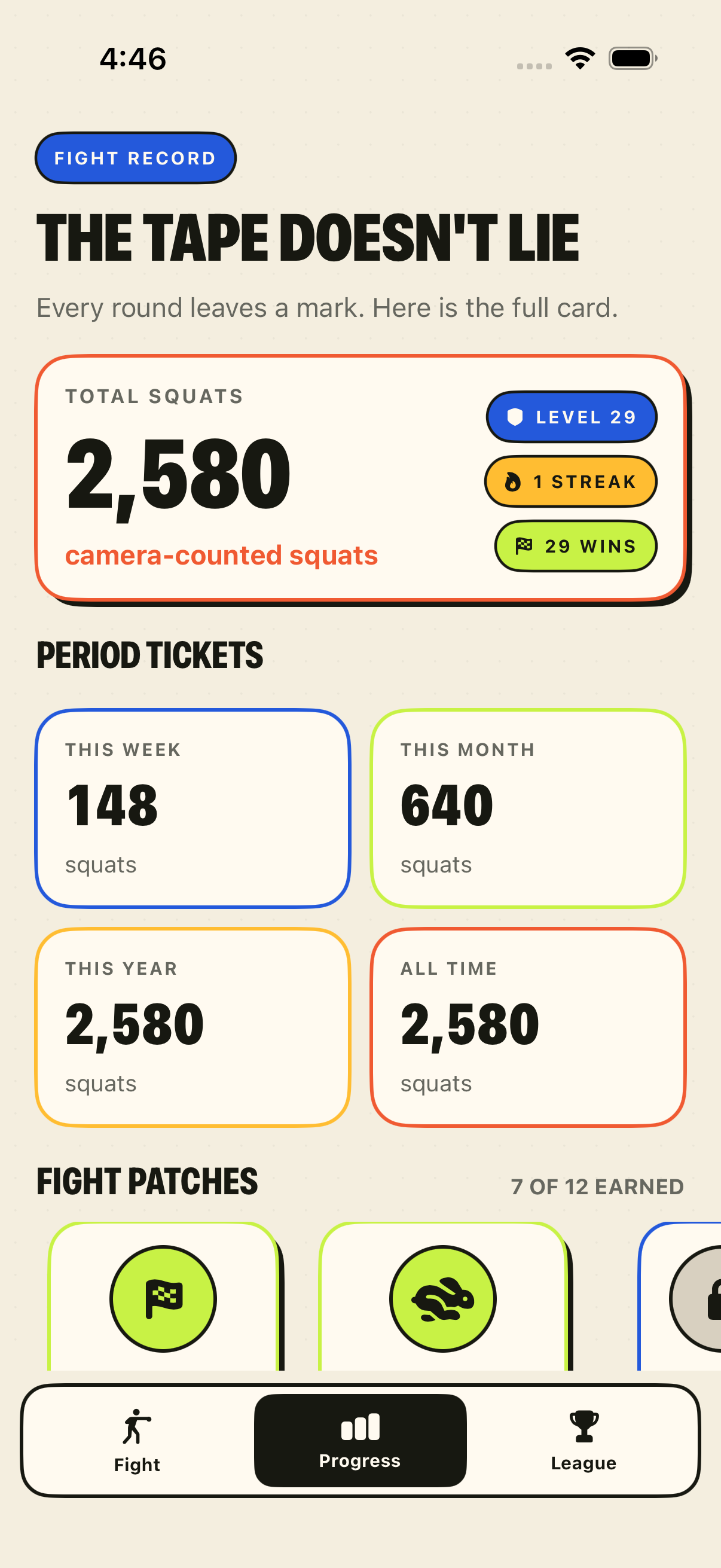
Wins, level and streak on the same screen
Those numbers have different units. Wins records successful fights. Level marks cumulative rep thresholds. Streak records consecutive qualifying days. A stable win count alongside a growing rep total is possible after completed defeats.
Sources
Get SquatQuest for iPhone
Find Kicks and the Sloth Syndicate in SquatQuest: Workout Game by Wave Tech LLC.
iOS 17 or later. Gameplay requires a subscription.

General educational information only. This article is not medical advice. Exercise within your ability and stop if you feel pain or feel unwell.